Ask anything. Get the number — and its source.
Workplacer Report & Ask stands on Workplacer Know. Ask AI answers from your own records and shows its sources; the Workbench keeps a piece of work open; reports and board packs are read from the same data and shaped to who reads them.
Ask anything, and report it your way
Ask AI
Ask about your estate in your own words. It answers from your own records, says where each answer comes from, and points out what does not add up.
- It knows where you are: asked on a contract, the question is about that contract
- Sources on every answer; each one opens the record
- A canvas of records and charts beside the chat, kept as a board and shared
- It sees only what you may see
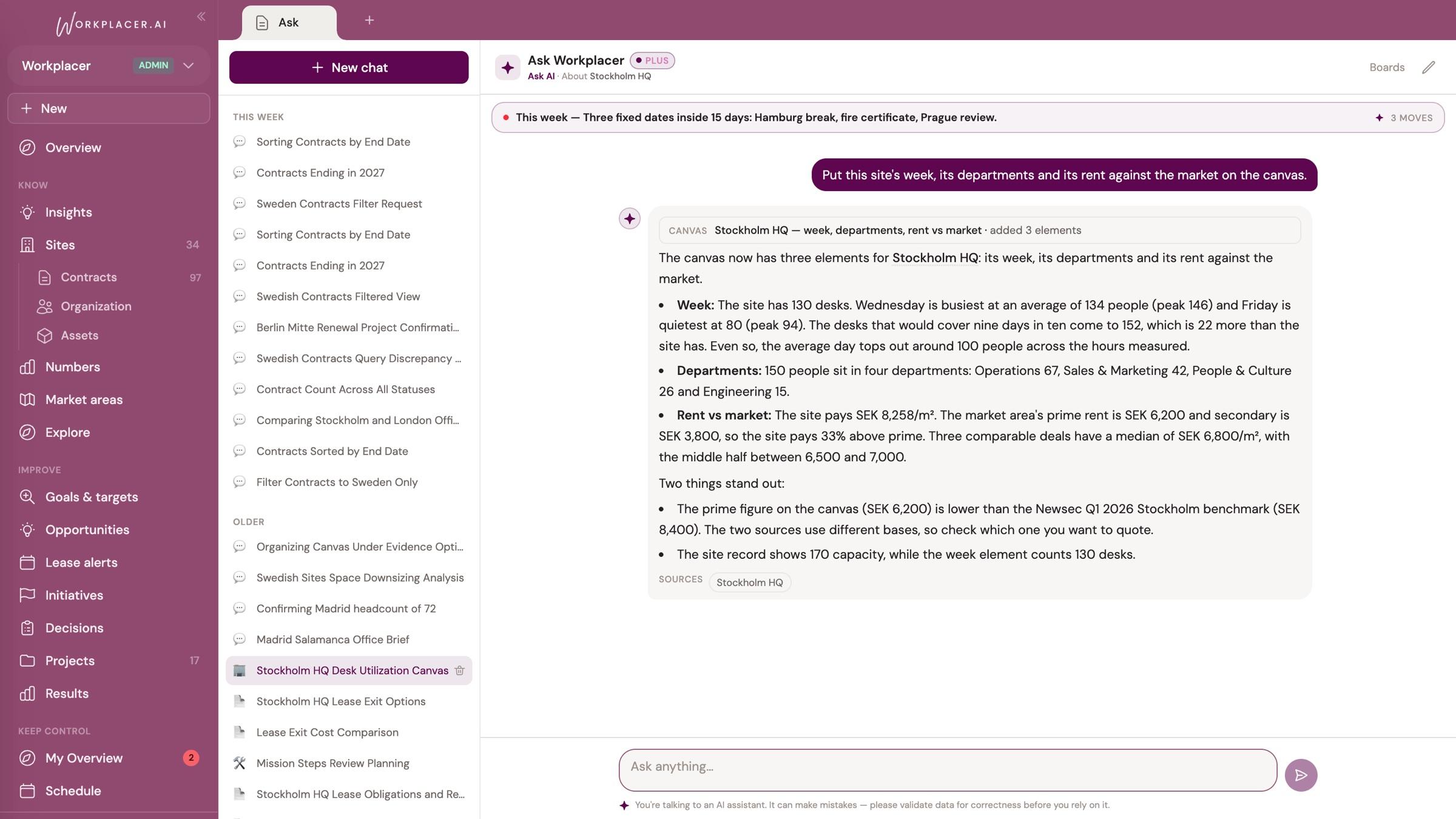
As it is in the product, on an example company.
Ask AI, before you type
It starts from your own portfolio: this week's fixed dates, and the questions they raise.
- Starters written from your own leases, dates and projects
- Every conversation kept, by place and by date
- A memory of how you work, which you can read and remove
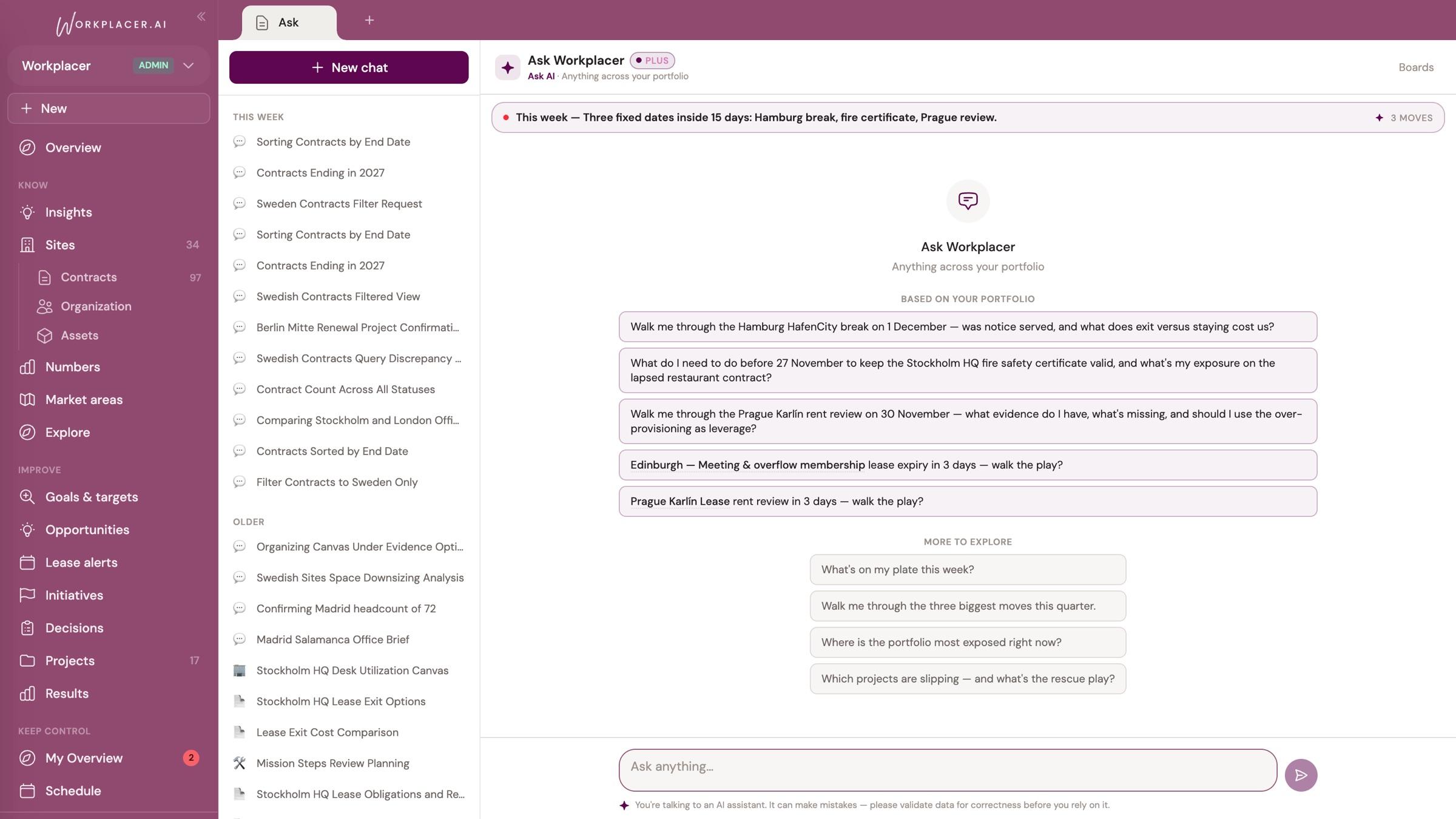
As it is in the product, on an example company.
Workbench
Ask AI kept open as tabs, one per piece of work: a project, a contract, a portfolio question.
- Give a tab a mission and it proposes the steps and the changes
- Start from a routine, such as the budget round or a board update
- Nothing touches a record until you confirm it; what you confirmed can be undone
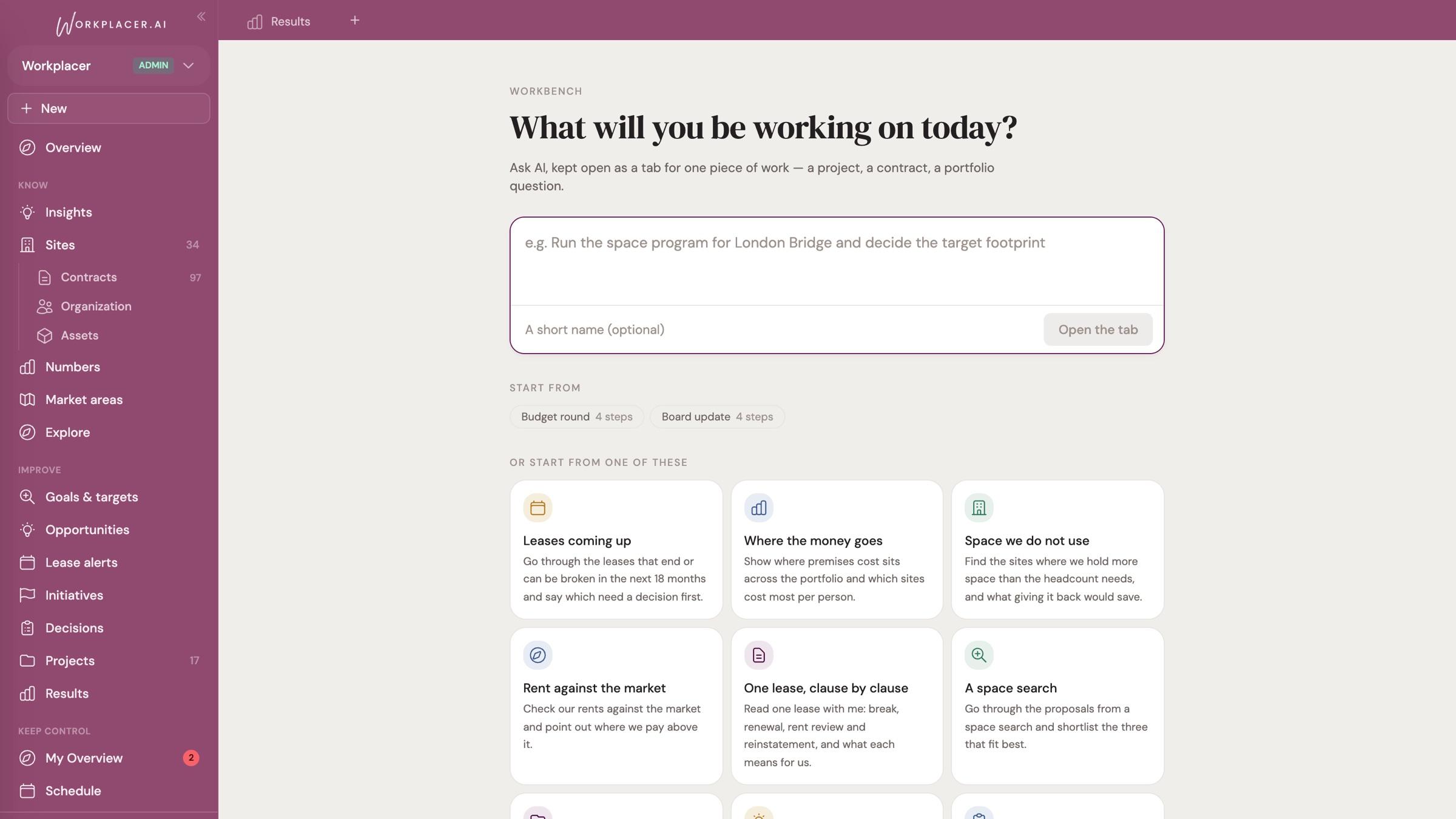
As it is in the product, on an example company.
A report, made yours
A report is read from your data when it is opened. You choose what it covers, what counts and which sites get a page.
- The whole estate, a region, a country, one site or one project
- Which contract types count: leases, owned property, facility management, services
- Market rent comparison and the site standard, on or off
- Sections you choose: narrative, figures, tables, charts, tool results, and AI blocks you instruct
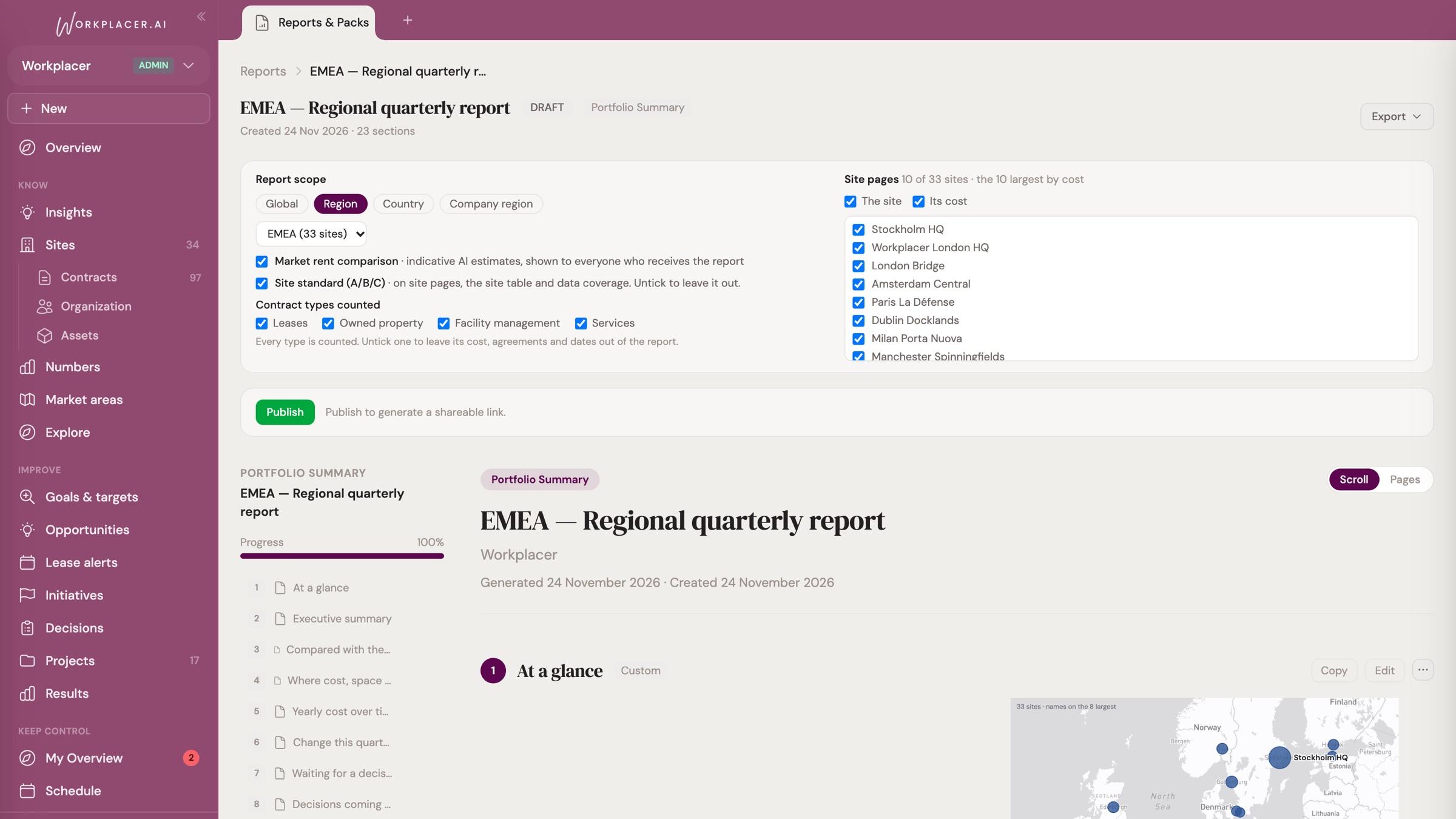
As it is in the product, on an example company.
Reports & board packs
Templates for the portfolio, a site or a project; board packs as slides; and what the changes did, goal by goal.
- A page for every site: cost, lease, people, how the office is used, cost month by month
- Portfolio summary, quarterly, regional, annual review, site review, project status
- Board packs as slides: generate, edit a slide, save your own preset
- Share as a link, or export to PDF and PowerPoint; what AI wrote is marked
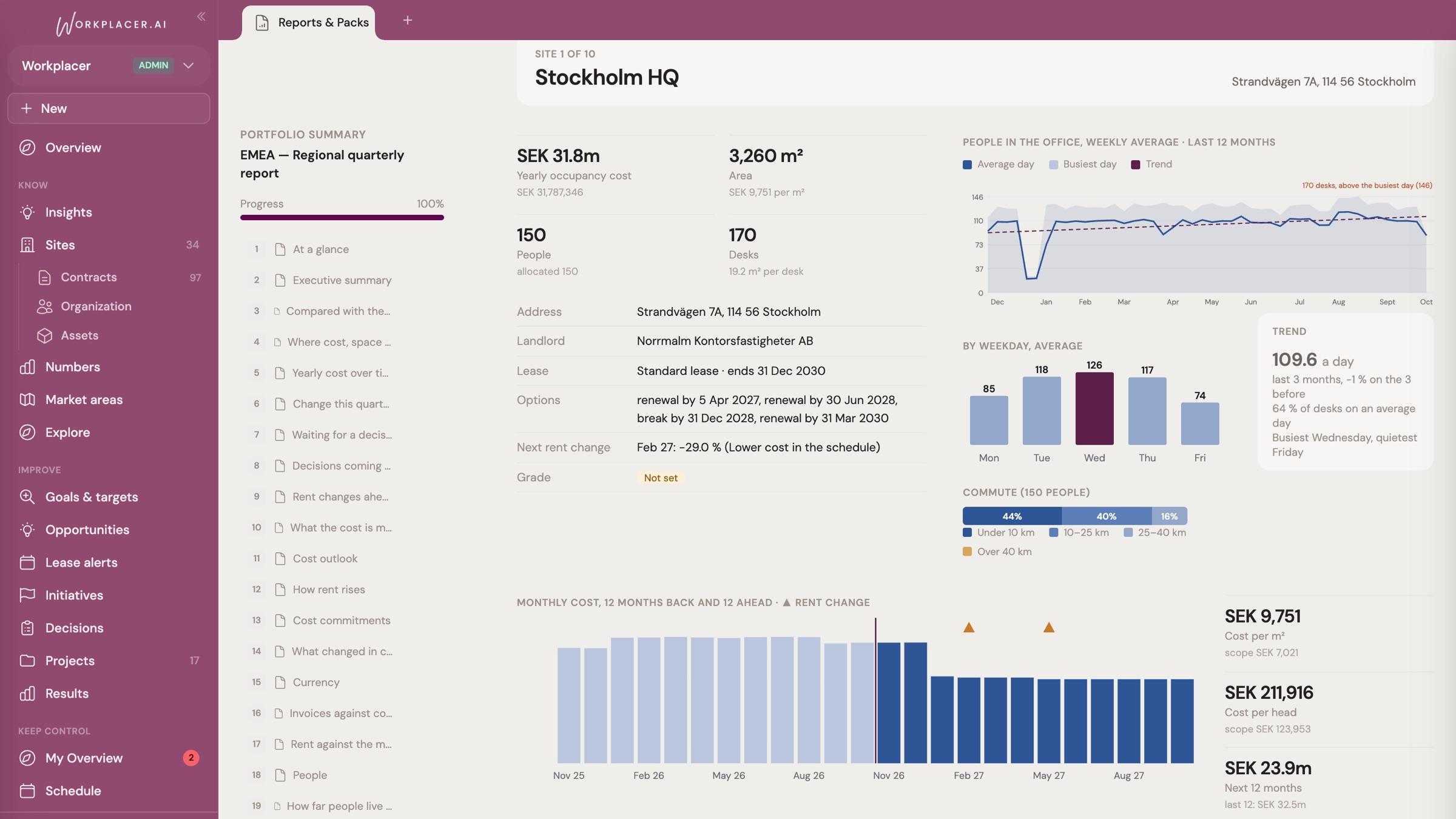
As it is in the product, on an example company.
The reporting cycle
What goes out weekly, monthly, quarterly and yearly, to whom, and what is next.
- Going out next, in date order
- Weekly email, monthly statement, quarterly and annual reports
- Change what is sent, and when
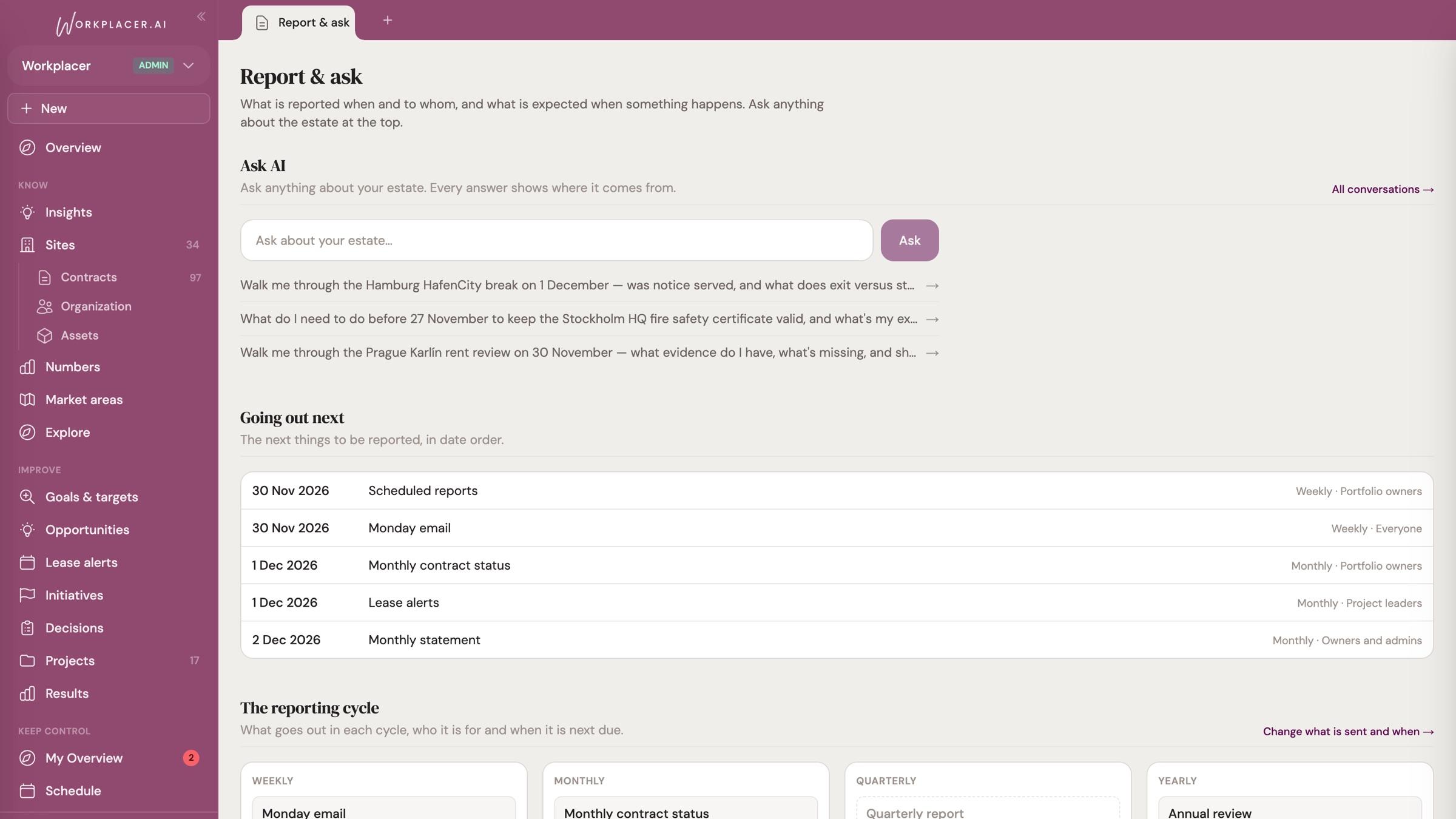
As it is in the product, on an example company.
Workplacer Report & Ask, in plain words
Report and ask is how what Workplacer knows leaves the tool. A report or a board pack is written for a reader who is not in it. Ask AI answers a question in your own words from your own records. Knowledge is where the documents, emails and recordings behind it all are kept and searched.
The pictures, and how each is read
Drawn from the product, with example figures. The numbers match the notes beneath.
Example
Ask AI proposes
Create a task for Anna: serve notice on the Malmö lease by 31 Mar
Rationale: the notice deadline is in 64 days and nobody is assigned.
After you confirm
Task created
Reversible for 14m 52s
Start from what you are there to do
Where to open it, what it can see, and how changes are confirmed.
Scope, template, sections, and how to share or send it.
What goes out weekly, monthly, quarterly and yearly.
How search works and what it covers.
One base, three layers = Workplacer Full
Ask your estate a question.
We will load a sample of your data and you ask it what you want to know — in thirty minutes.